
See How ItWorks.
From tapping an NFC tag to tracking your streaks — walk through every feature of the platform at your own pace.
What is Habit Nova?
Habit Nova is the fastest way to build habits. Instead of opening an app, finding your habit, and pressing buttons — you just tap a physical NFC tag. Done in under 2 seconds.
Physical NFC Tags
Place tags around your home, gym, or office. Each one is linked to a habit. Tap your phone → habit logged.
Powerful Dashboard
Track streaks, build routines that log multiple habits in a single tap, view heatmaps, use 14 productivity widgets, and get AI-powered coaching — all in one place.
AI Architect
Tell it your goal — it designs your entire habit system: habits, sub-habit splits (Push / Pull / Legs), stacking order, widget pairings, and NFC tag placements.
30-Day Challenges
Join pre-built challenges or create your own. Pair them with widgets like Pomodoro or Journal, link NFC tags, and stay accountable with friends.
Insights & Analytics
Source breakdowns (NFC vs Web vs Manual), NFC activity sparklines, heatmaps, completion rates, and trend analysis.
NFC Tags — Tap to Log
Place physical NFC tags around your space. Tap your phone to instantly log a habit — no app to open, no buttons to press.
Place Your Tag
Stick an NFC tag on your water bottle, gym bag, nightstand, bathroom mirror — anywhere tied to a habit.
Tap Your Phone
Hold the back of your phone against the tag. Your phone reads it instantly — no app needs to be open.
Habit Logged
A confirmation screen pops up showing your streak, completion time, and any linked widgets. Done in under 2 seconds.
The Tap Experience
When you tap an NFC tag, your phone automatically opens the Habit Nova confirmation page. If you're logged in, the habit is recorded instantly. You'll see your current streak, a satisfying check animation, and any linked productivity widget (timer, journal, etc.).
Tags work with any modern smartphone — iPhone (XS and newer) and most Android phones. No special app install needed for the initial tap.
What happens on tap
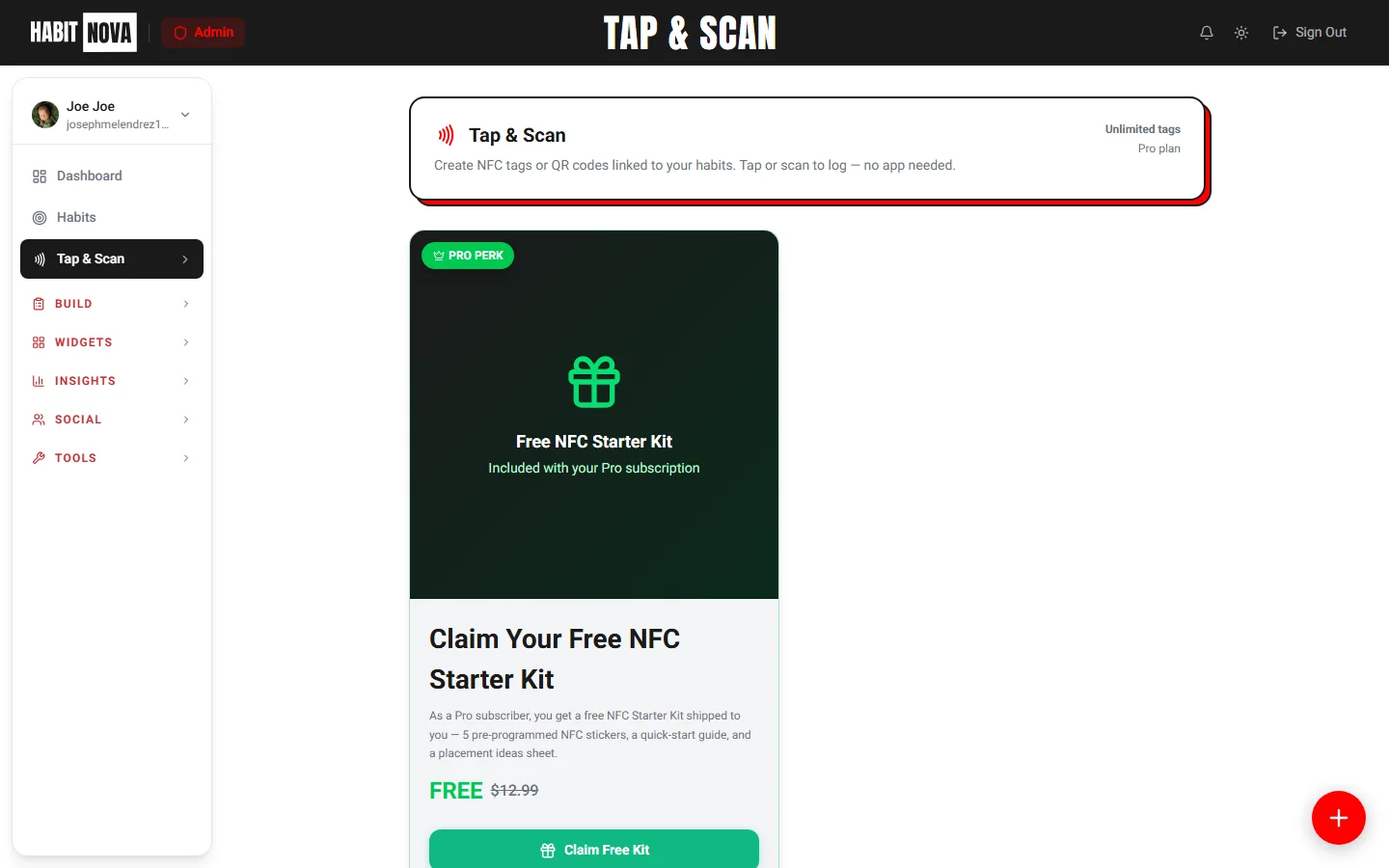
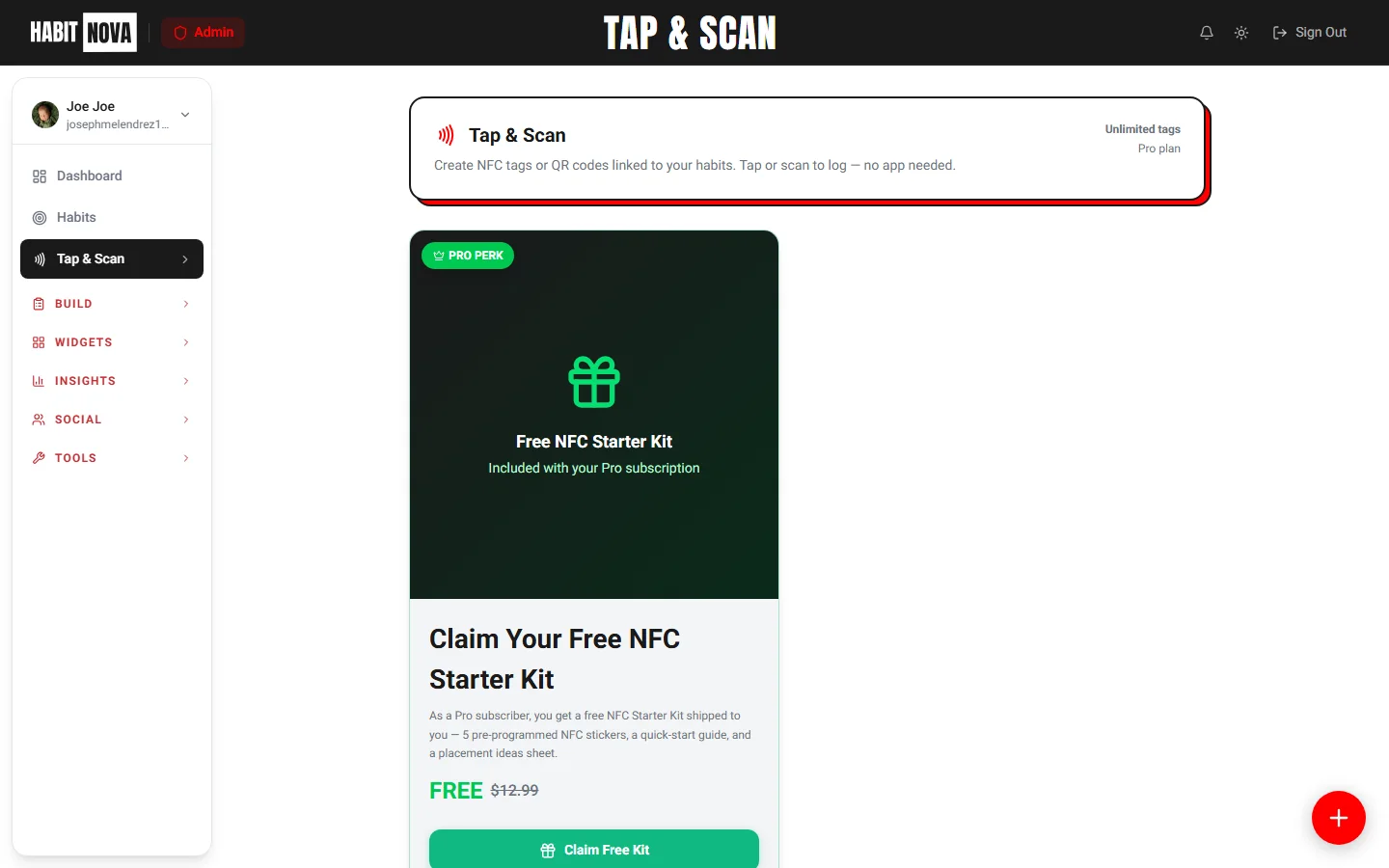
NFC Tag Management
From your dashboard, you can create, edit, share, and manage all your NFC tags in one place.
Create & Link Tags
Assign any habit to a tag. Add a custom label, link a widget, or attach it to a 30-day challenge.
Share Tags
Share a tag with family or accountability partners. They can log habits on the same tag with their own account.
QR Code Fallback
Every tag also generates a QR code you can print or screenshot — great for older phones without NFC.
Habit Confirmation Screen
After each tap, a clean confirmation screen shows your streak, progress, and a motivational boost.
Write to Physical Tags
Use Web NFC (Android Chrome) to write your habit URL directly onto a blank NFC sticker.
NFC Tags by Plan
See how many tags you get at each tier
- Link 1 habit per tag
- Basic tap-to-log
- QR code fallback
- Multi-habit linking
- Tag analytics
- Share with others
- 15% shop discount
- Everything in Basic
- Widget auto-launch
- Advanced analytics
- 25% shop discount
Your Dashboard
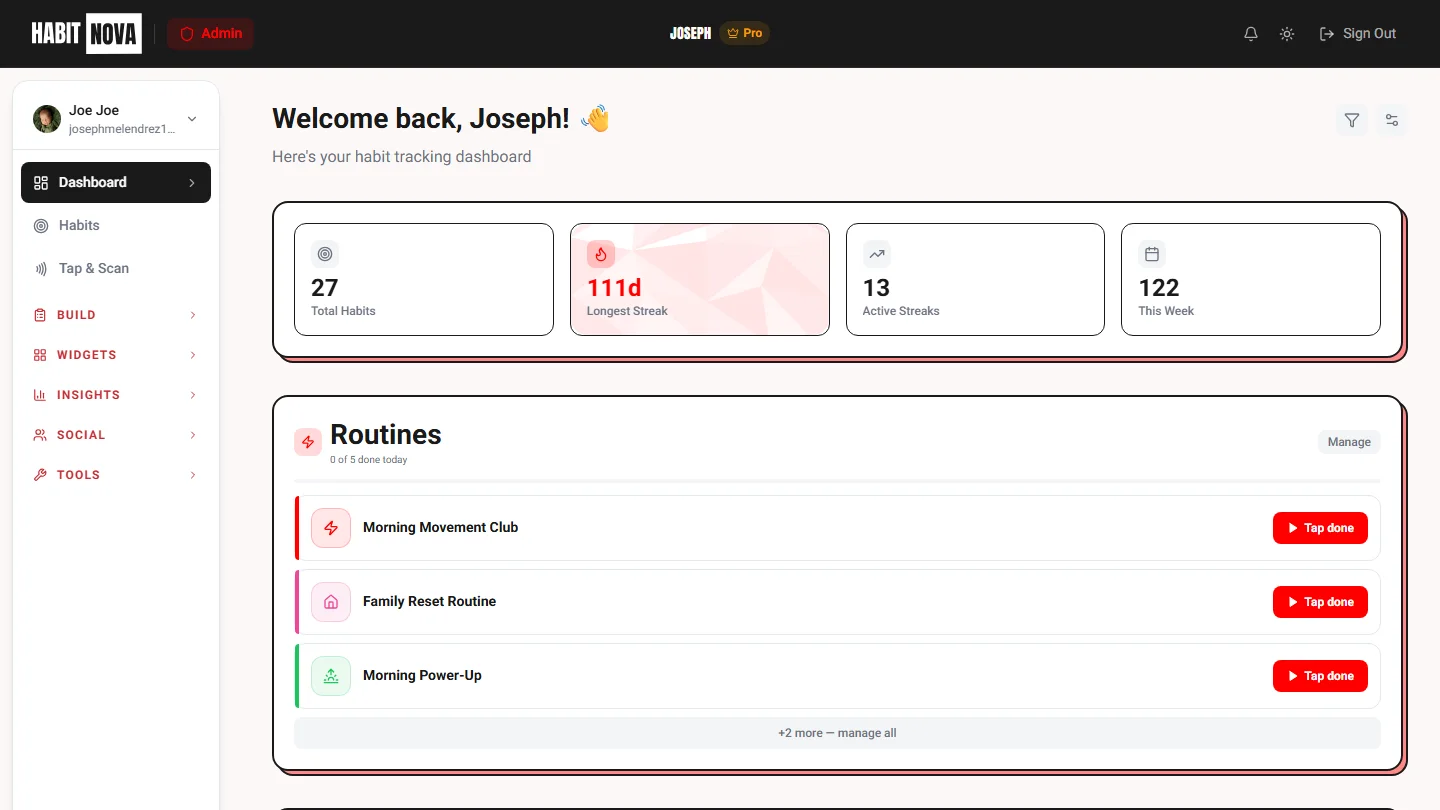
Everything in one place — stats, routines, calendar, charts, widgets, and 41 customizable quick actions. Pick a built-in layout preset (Default, Habit Tracker, Minimalist, Study Mode, Productivity, Wellness, Recovery, Analytics, Social, Everything) or save your own — synced across devices. One-tap routines log every linked habit and are reversible if you misclick.
Sidebar Navigation
The left sidebar organizes everything into collapsible groups. On mobile, it becomes a slide-out drawer with the same structure. You'll always know exactly where to find things.
At-a-Glance Stats
The top of your dashboard shows 4 key metrics that update in real time as you log habits.
Dashboard Grid
Below the stats, customizable sections give you a visual snapshot of your progress. Drag to reorder any section — calendar, charts, consistency, widgets, and quick actions. Your layout persists across devices.
Habit Calendar
A visual month view showing which days you completed habits. Green dots = completed, gray = missed. Tap any day to see details.
Weekly Bar Chart
See your daily and weekly completion counts at a glance. Tracks up to 6 weeks of history so you can spot trends.
Habit Consistency
A per-habit breakdown with progress bars so you can see which ones are on track and which need attention.
Widgets Dock
Quick-access tiles for all 13 widgets — Pomodoro, Timer, Stopwatch, Lists, Journal, Prompter, Quick Launch, Water, Weight, Quotes, Days Free, Panic SOS, and Money/Time Saved. One tap to open any widget.
Quick Actions
41 customizable shortcuts — habits, widgets, challenges, NFC tags, and more. Drag to reorder, add or remove actions to tailor your dashboard. Each action has a unique color-coded icon for quick visual recognition.
Productivity Widgets
14 built-in widgets that pair with habits and challenges. Link a widget to an NFC tag or a 30-day challenge and it auto-launches when you tap or check in — start a Pomodoro, log your weight, open your journal, or get your daily quote.
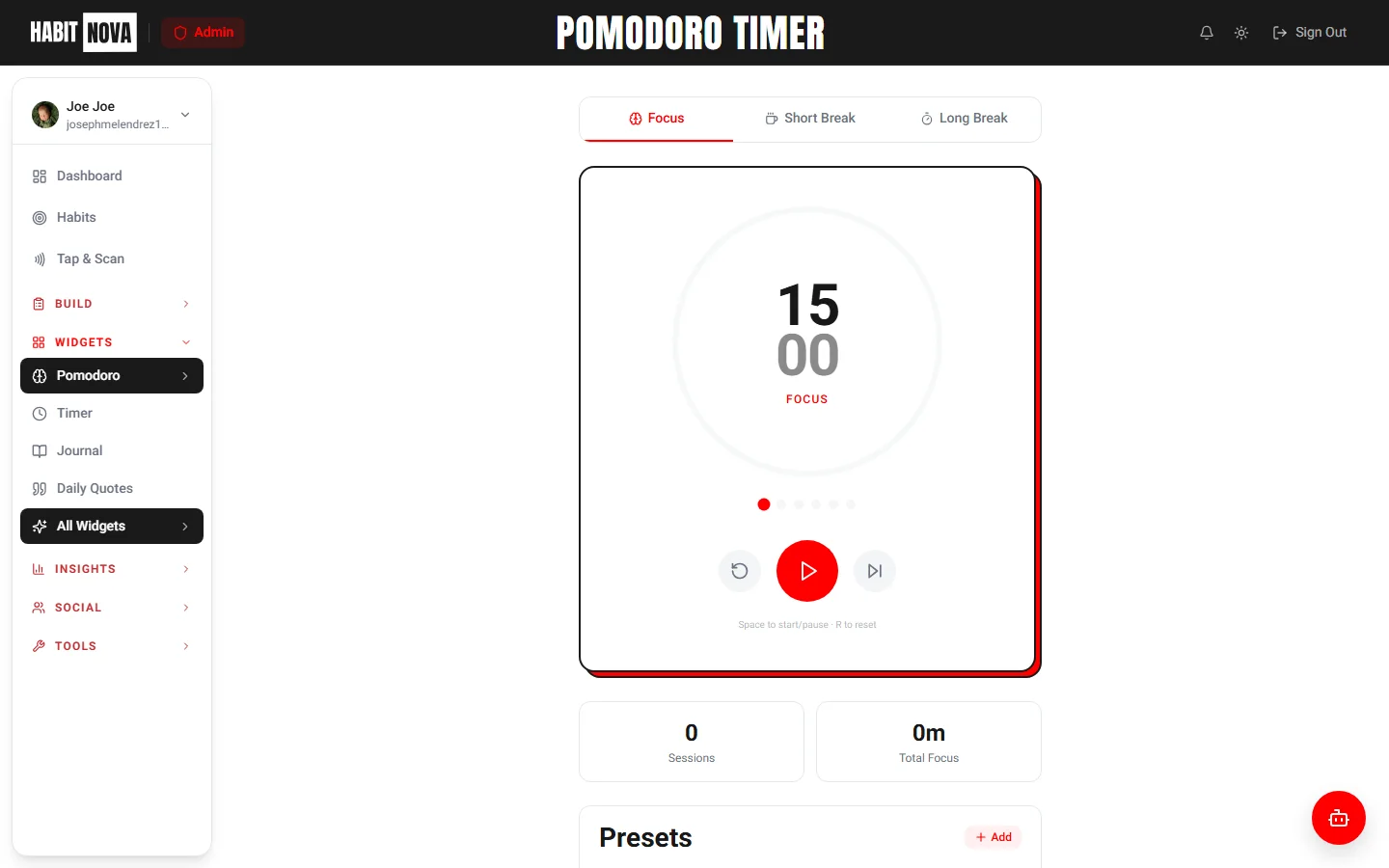
Pomodoro Timer
Focus sessions with auto-breaks. Presets: Classic (25/5), Deep Focus (50/10), Quick Burst, Meditation.
Timer
Countdown timer with custom presets, habit pairing, and NFC tag triggers.
Stopwatch
Open-ended time tracking. Perfect for workouts, study sessions, or any habit you time without a fixed countdown.
Lists
Task checklists that auto-log your habit when all items are checked off.
Journal
Daily reflections with mood tracking, tags, and full-text search across every entry you write.
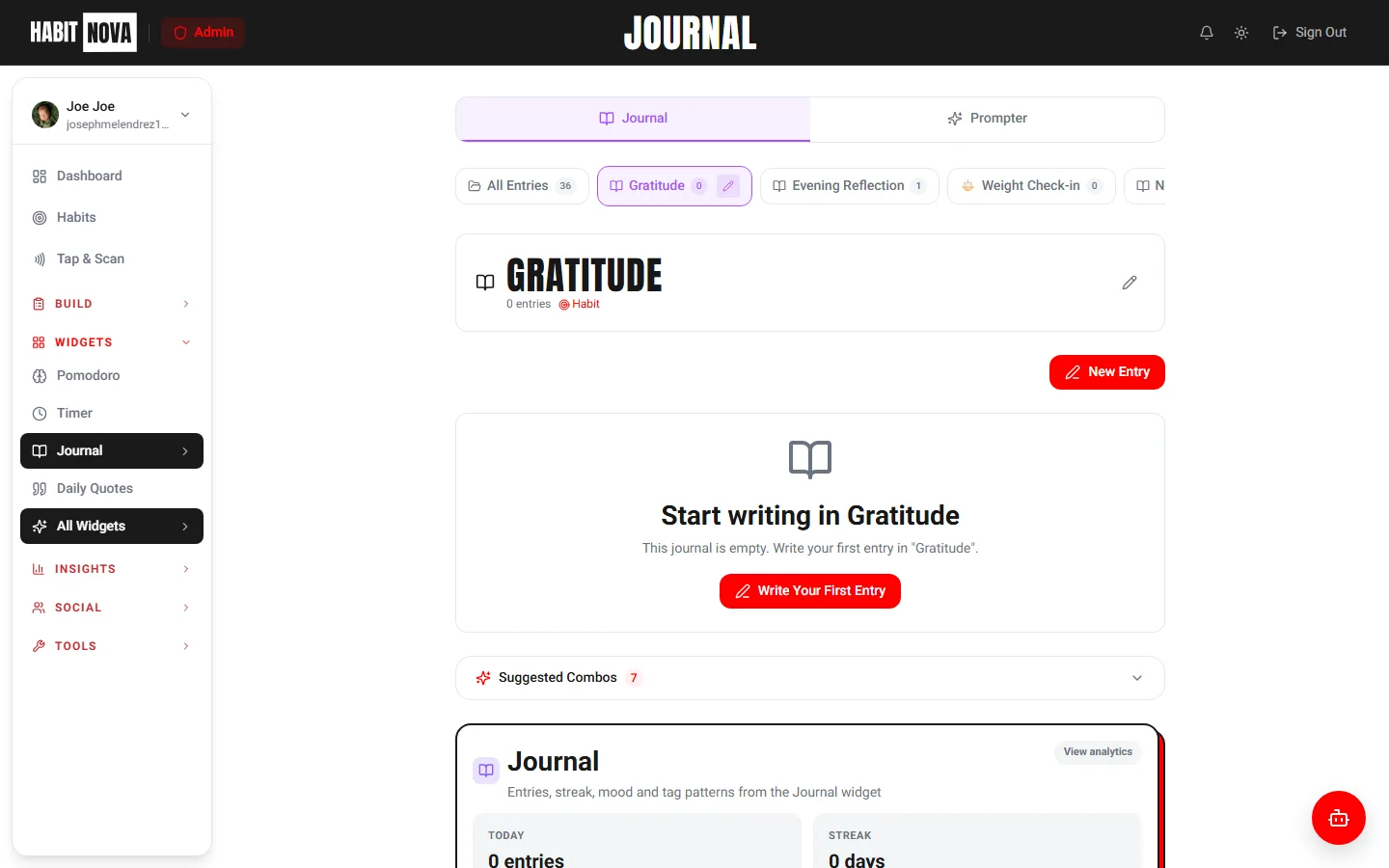
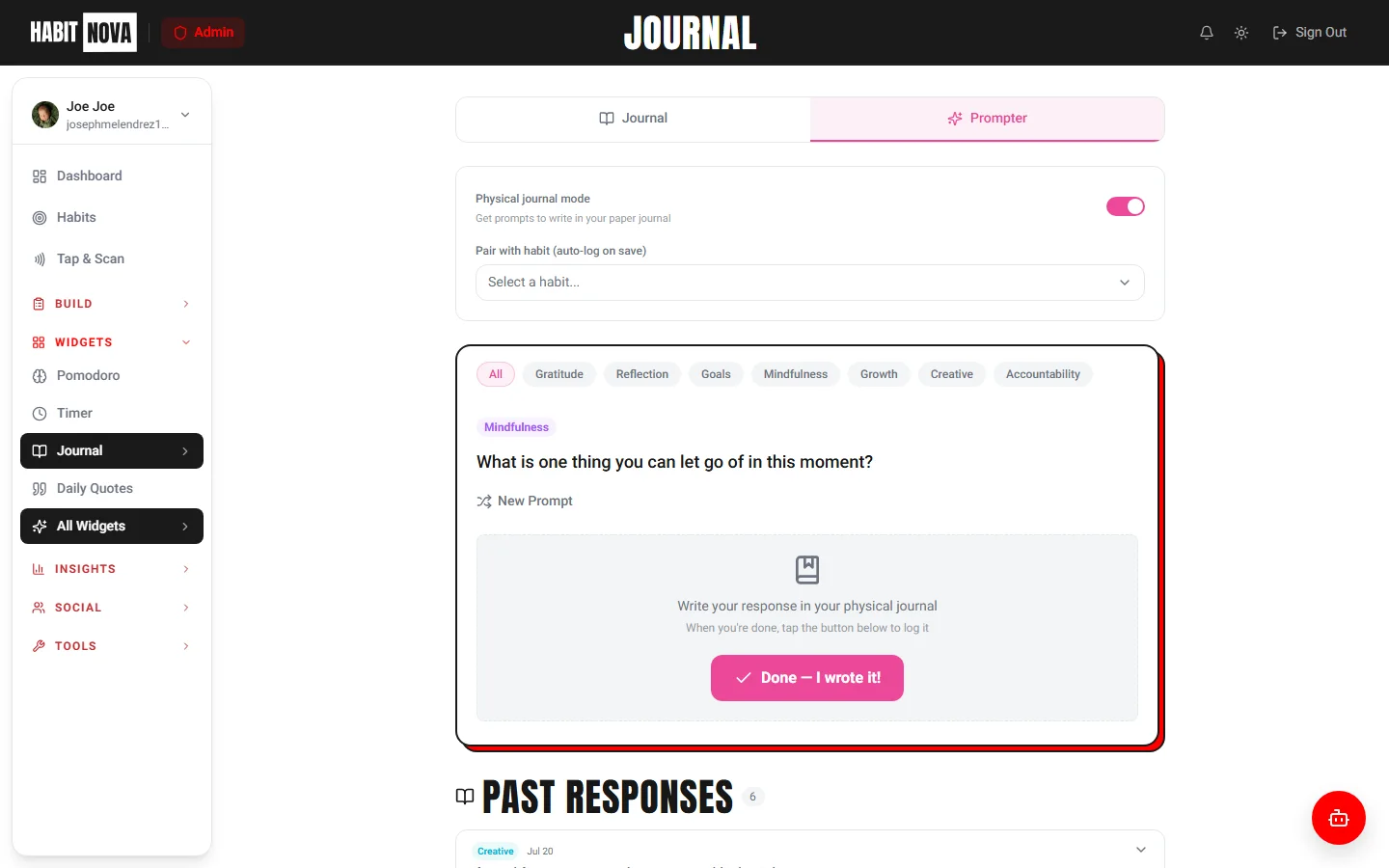
Journal Prompter
365 hand-picked prompts — one for every day of the year. Spark writing when the page feels blank.
Quick Launch
One-tap habit logging + open any URL or app. Perfect for NFC tags.
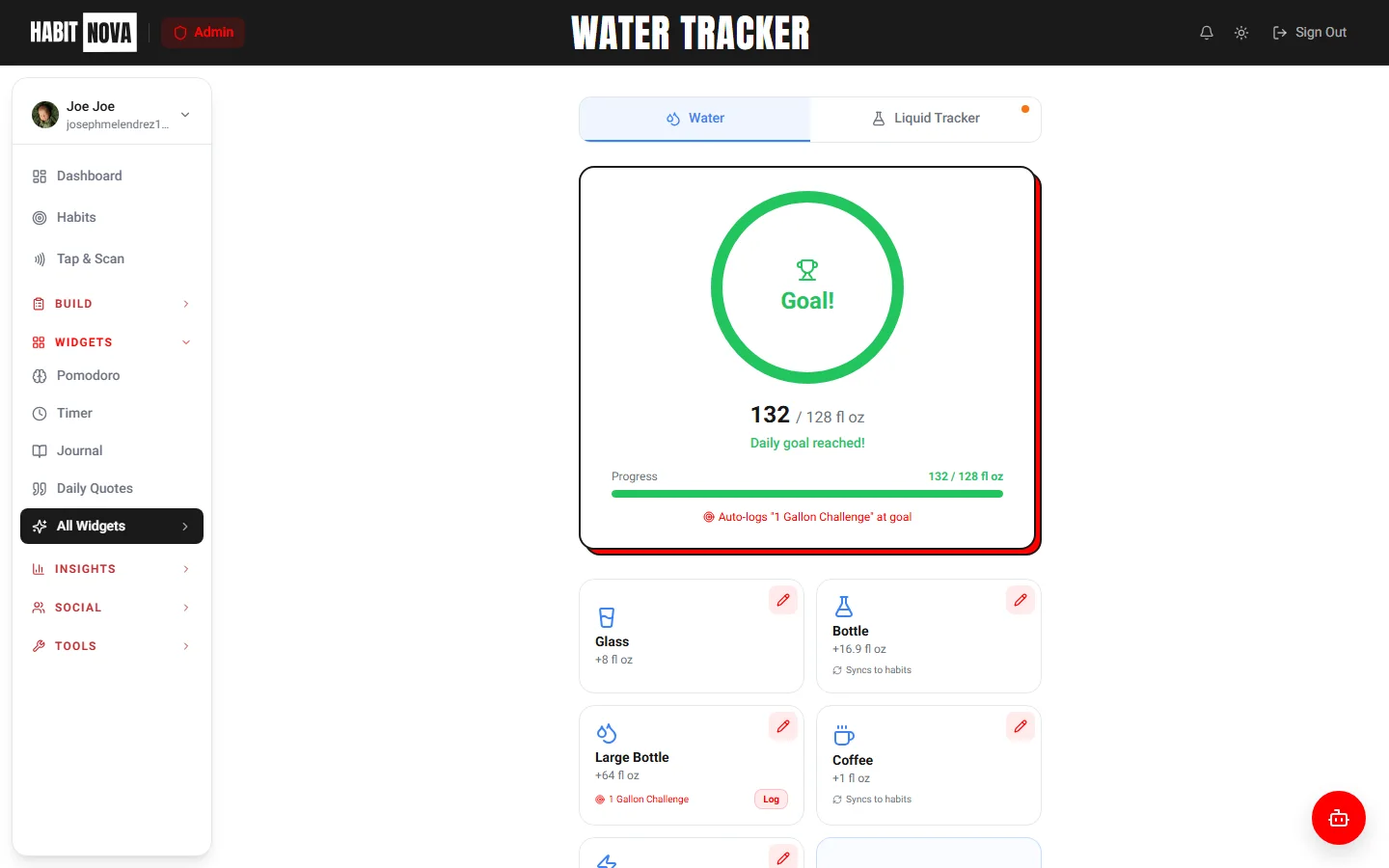
Water Tracker
Visual progress ring, glass/bottle presets, auto-logs when you hit your goal.
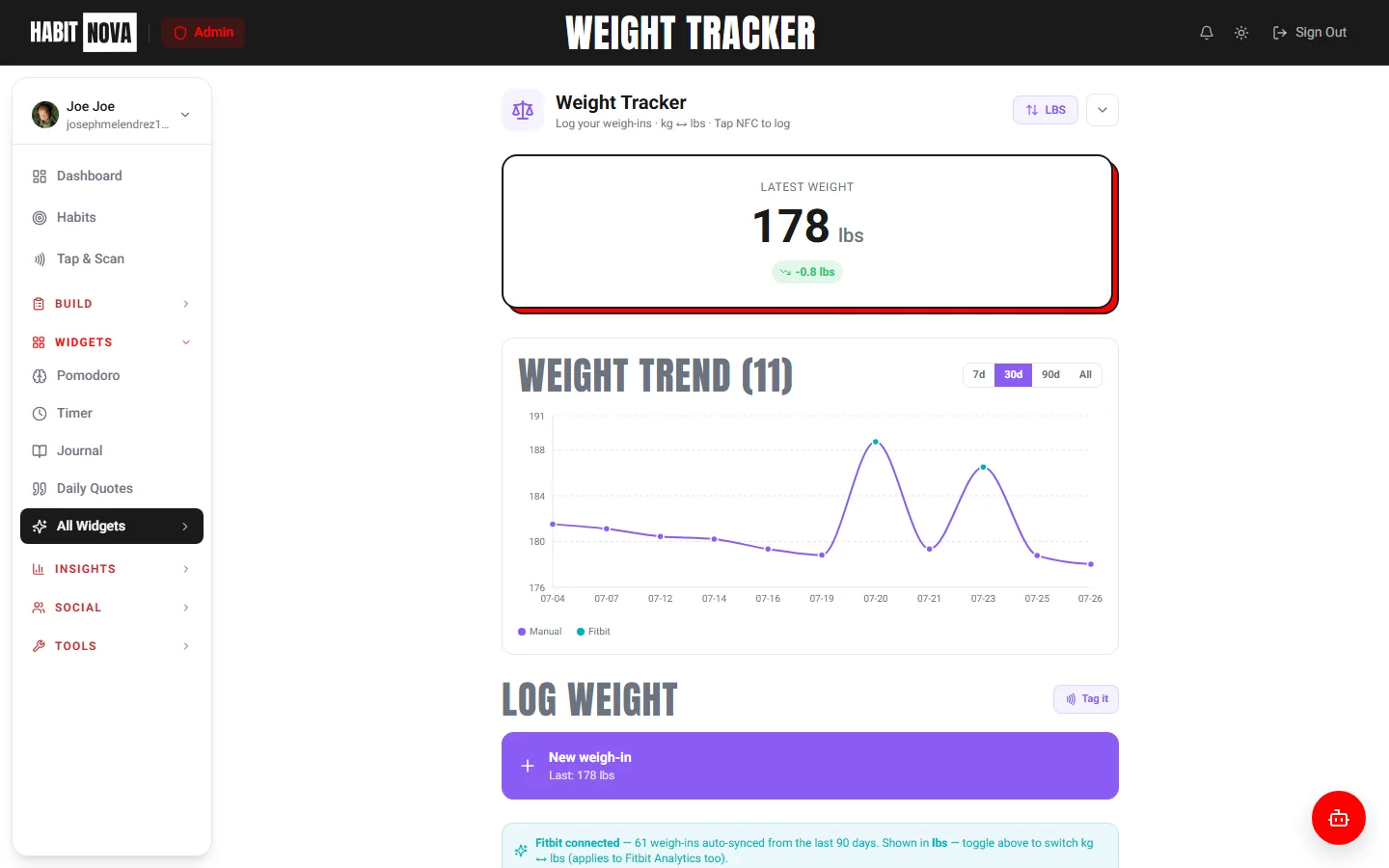
Weight Tracker
Log weight over time, see trend lines, and auto-log a habit on every weigh-in. Supports kg and lb.
Daily Quotes
Handpicked quotes from 20+ books on habits, mindset, and growth. A new quote every day.
Days Free
Sobriety / clean-streak counter for habits you’re quitting. Track how long since your last slip and celebrate milestones.
Panic SOS
One-tap relief for cravings or urges. Surfaces your reasons, breathing exercise, and emergency contacts when you need them.
Money / Time Saved
Track real money and time saved by quitting a habit. Watch totals grow every clean day.
Habit Tracking
Create habits, log completions, build streaks, join challenges, and follow plans. Here's everything the habits system can do.
Give your habit a name, choose a goal type (build or break), set a frequency (daily, weekly, or custom), and define a target with units — like "8 glasses" of water or "30 minutes" of reading.
Tap the checkmark on any habit to log it for today. For counter-based habits, use the +/- buttons to track partial progress (like 5 of 8 glasses). Logs record the source — manual, NFC tap, or Fitbit sync.
Every habit tracks your current streak and longest streak ever. The habits page shows flame icons for active streaks. Miss a day and the streak resets — but your longest streak record stays forever.
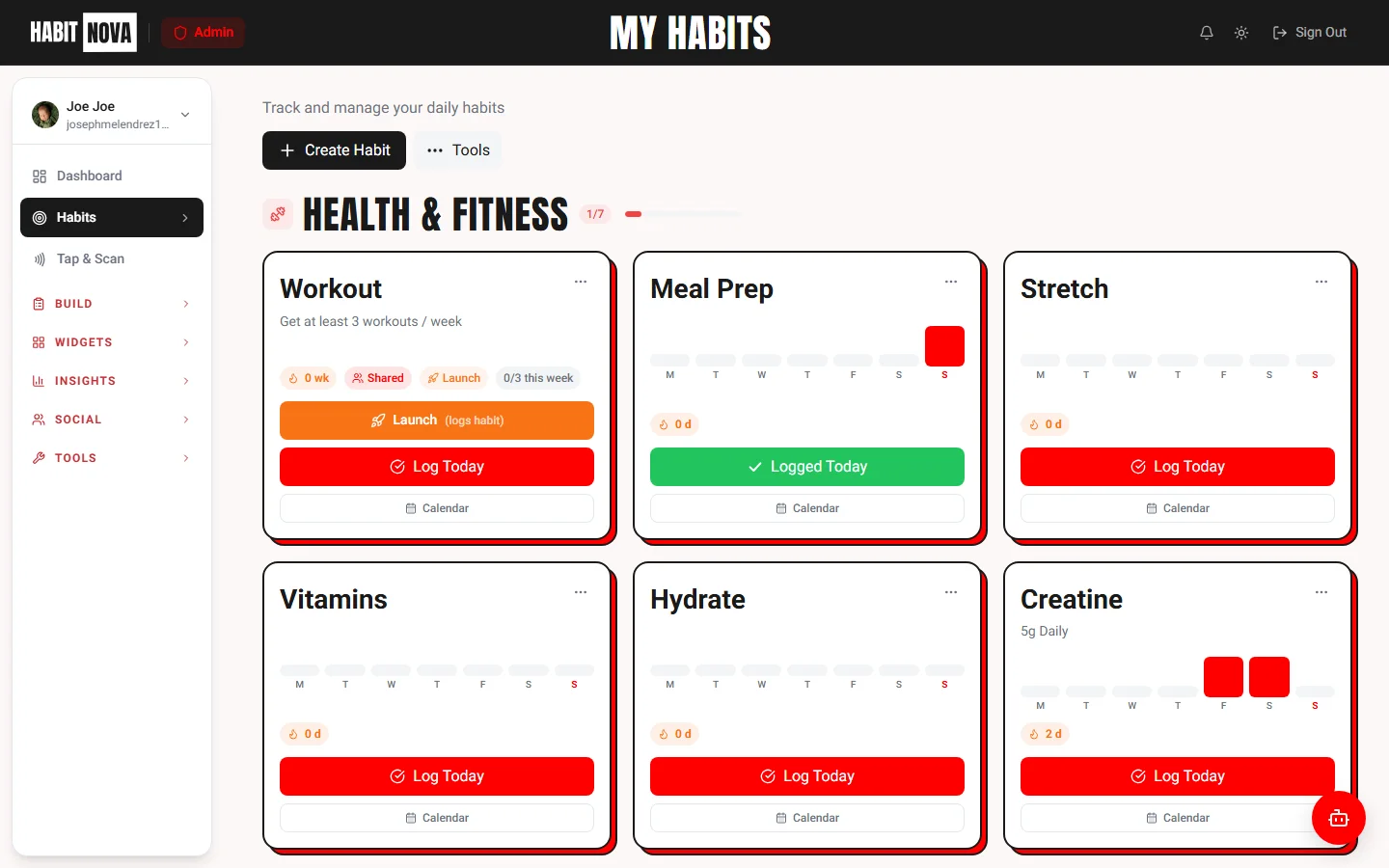
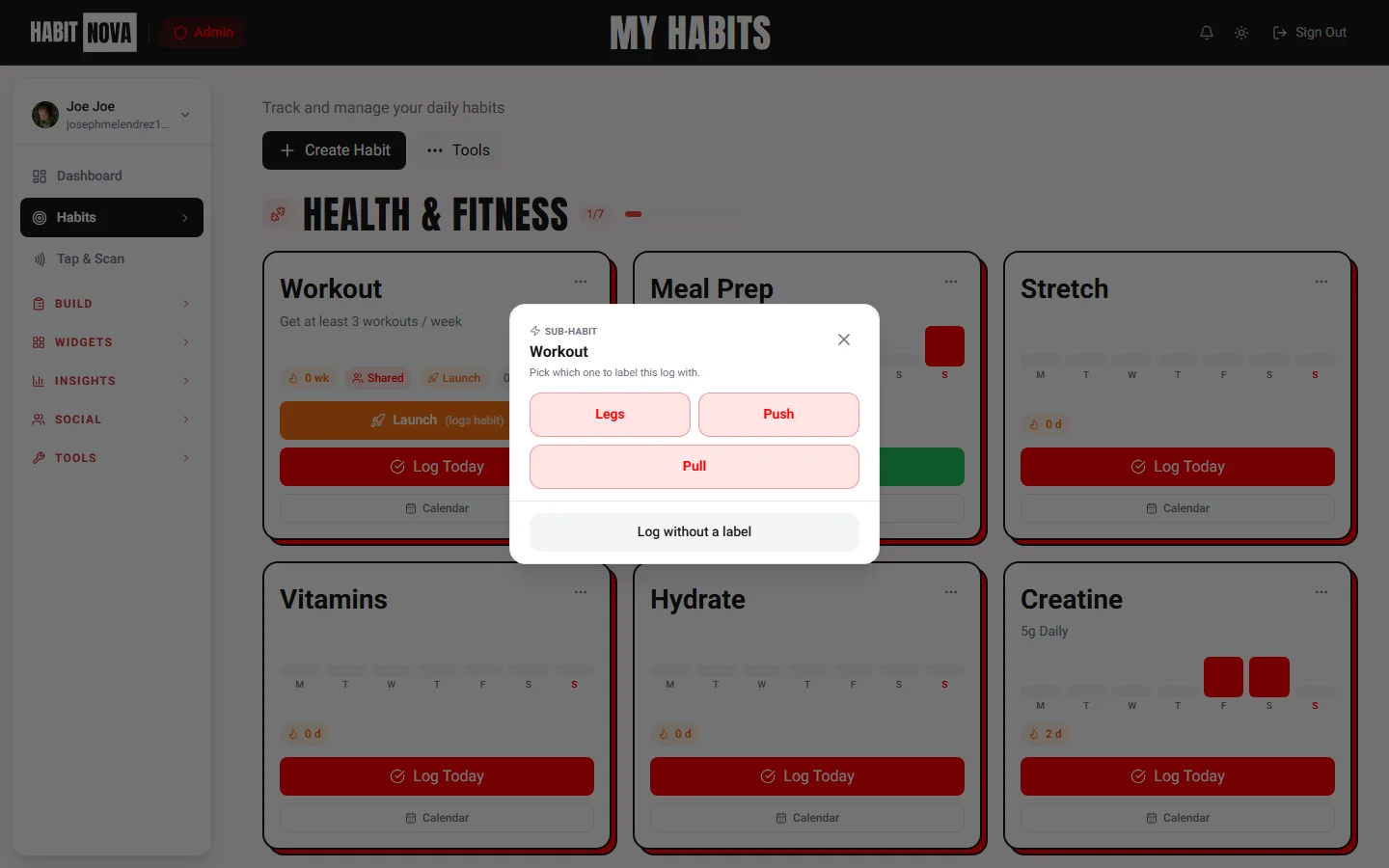
Add 2–5 rotating labels to a single habit — Push / Pull / Legs, Fiction / Non-fiction, Math / Languages / Coding. On log, a quick picker pops so you tag which variant you did. One streak, no extra habits to manage.
Don't start from scratch. Browse pre-built habit templates for common goals — morning routine, fitness, hydration, mindfulness, and more. One click to add any template to your dashboard.
Commit to a 30-day challenge — pre-built or custom. Track each day on a dedicated calendar, add daily notes, pair with productivity widgets, and share progress with your accountability group.
Create long-term plans with progress tracking. Plans move through phases — Not Started, Foundation, Momentum, Growth, and Complete. Filter by status and watch your completion percentage climb.
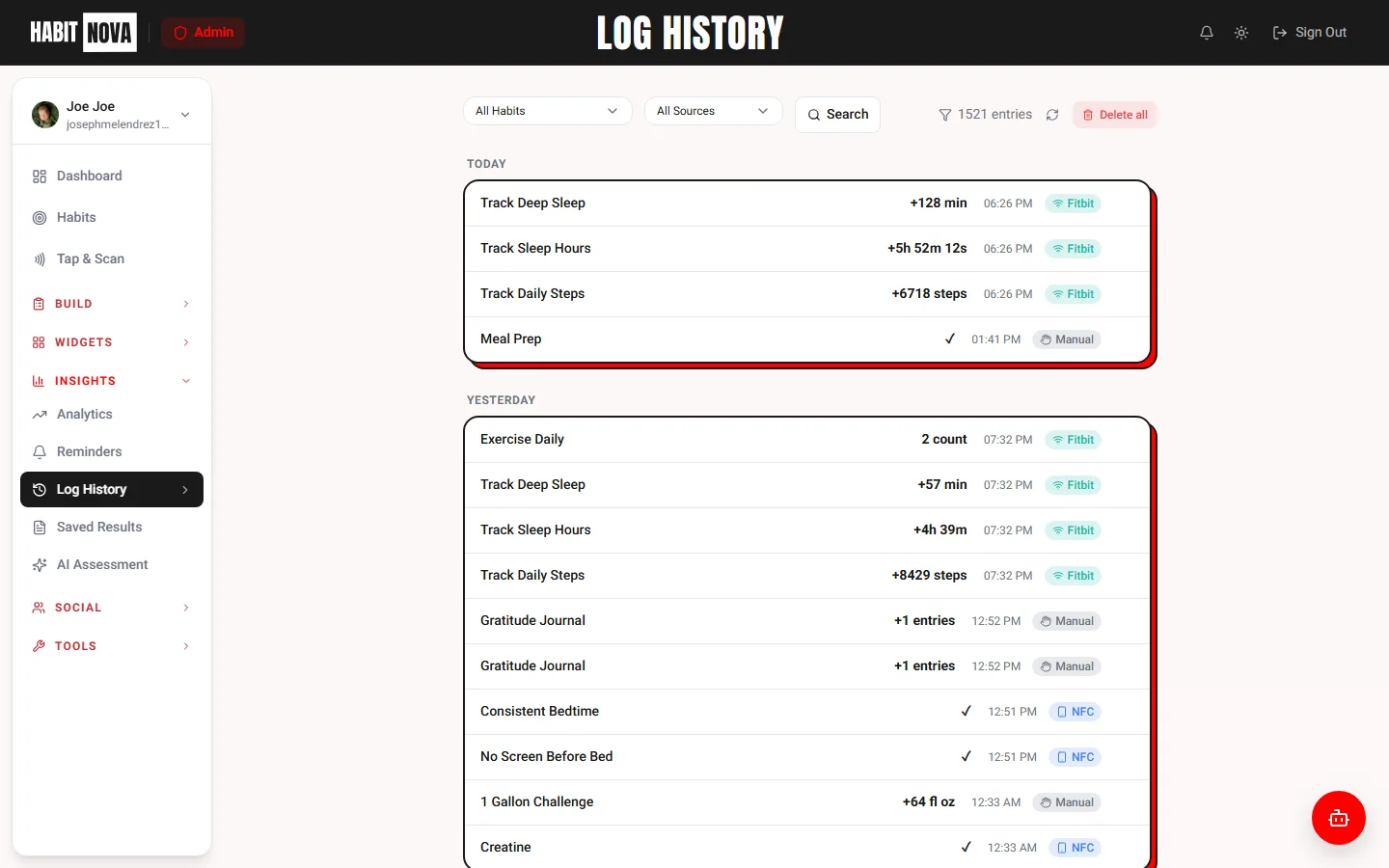
Every habit completion is recorded with a timestamp and source. Browse your full history grouped by date, filter by habit or source (manual, NFC, Fitbit), and delete individual entries if needed.
More Habit Tools
Edit Habits
Change name, frequency, target, or category any time.
Archive
Archive old habits instead of deleting. Restore anytime.
Share & Export
Copy a shareable link to show off your streaks.
Tier Limits
Free: 10 habits. Basic: Unlimited. Pro: Unlimited + AI coaching.
AI Architect — Design Your Habit System
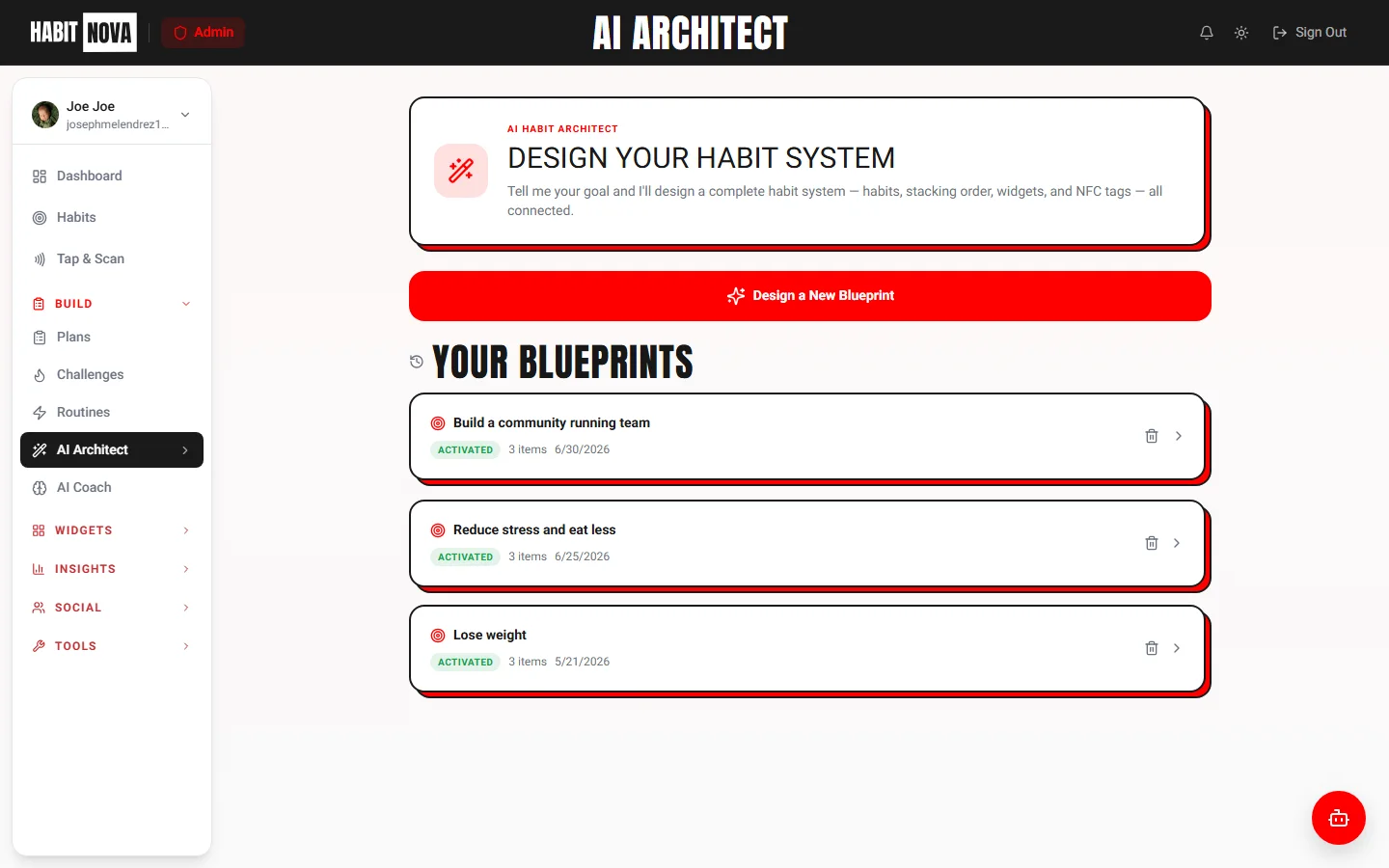
Tell the AI Architect a single goal and it returns a complete, personalized blueprint — habits, stacking order, widget pairings, NFC tag placements, and a daily structure built around your life.
From One Goal to a Full System
Most habit apps make you figure out what to track, when to track it, and how it all fits together. The AI Architect does that thinking for you. Type a goal — "lose weight", "morning routine", "reduce stress" — and get a structured blueprint in seconds.
Tell it your goal
Pick a suggestion or type your own — “read more”, “sleep better”, anything.
Answer a few quick questions
Schedule, current habits, NFC tag count, and constraints — takes 30 seconds.
Get your blueprint
A complete habit system: habits, stacking order, widget pairings, NFC placements, daily flow.
One-click activate
Push the entire blueprint to your dashboard — habits created, widgets paired, tags suggested.
Inside Every Blueprint
Every generated plan is structured, opinionated, and ready to push to your dashboard with one click.
Suggested Habits & Sub-habits
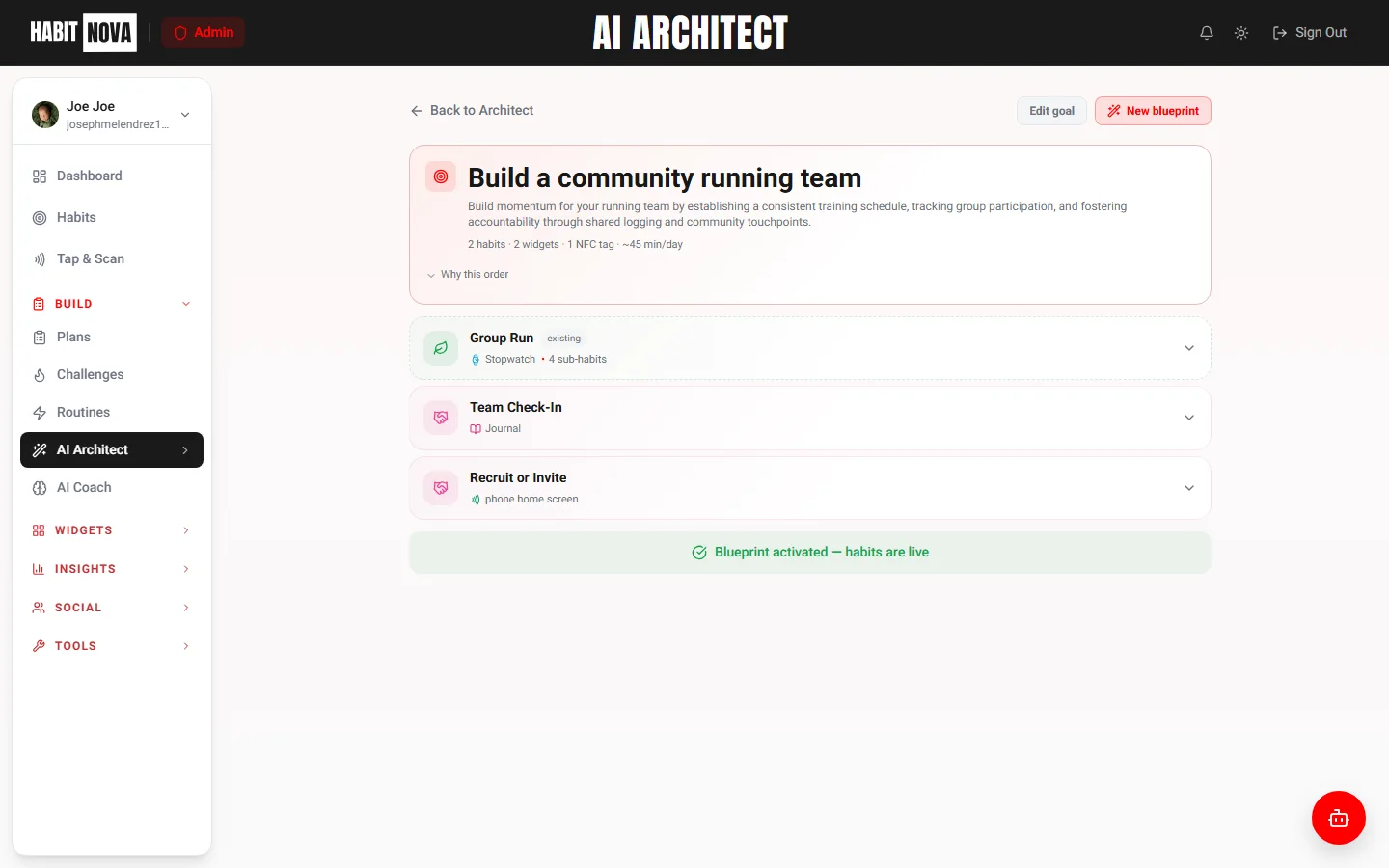
A curated set of habits with frequencies, targets, units, and categories — pre-configured around your goal. Where it makes sense (workouts, reading, study), it adds rotating sub-habit labels so one streak covers all the variants.
Habit Stacking Order
Which habit triggers which — chained in the order most likely to stick, based on cues and timing.
Widget Pairings
Each habit comes paired with the right widget — Pomodoro for focus, Journal for reflection, Water for hydration.
NFC Tag Placements
Where to stick each tag (mirror, fridge, gym bag) and which habit to link it to for friction-free logging.
Daily Structure
Morning, midday, and evening routines so each habit has a clear time slot — not just a vague "do it daily".
Realistic Constraints
Respects your schedule, current habits, NFC tag count, and tier limits — you only get a plan you can actually run.
Blueprint View & History
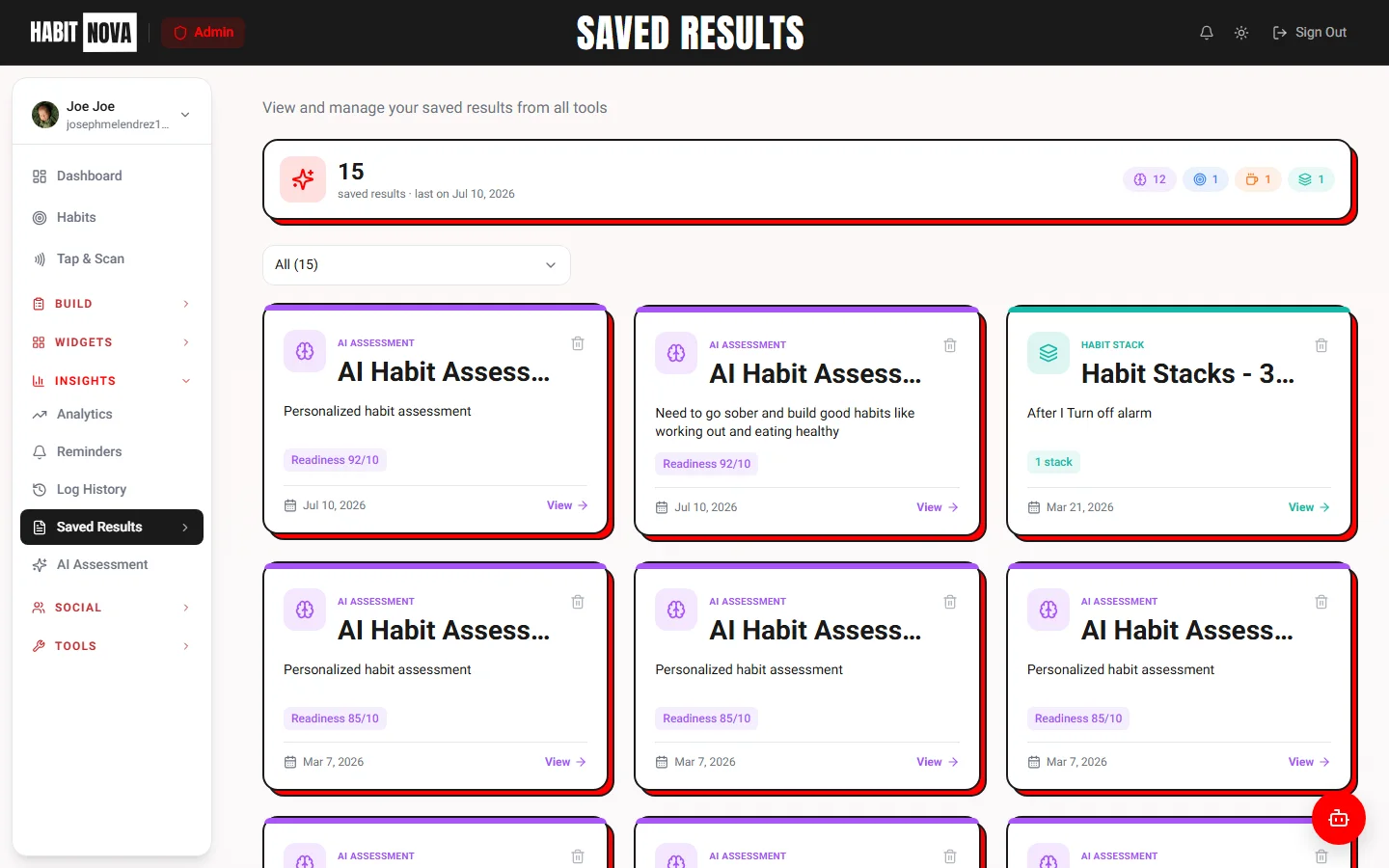
Every blueprint is saved, editable, and re-runnable. Browse past plans, tweak any section, or activate a different version any time.
AI Architect by Plan
Blueprint generation limits per tier
- 1 AI Architect blueprint / mo
- One-click activation
- Upgrade for unlimited blueprints
- 3 AI Architect blueprints / mo
- 10 AI Assessments / mo
- One-click activation
- Save and edit blueprints
- Unlimited blueprints
- Unlimited AI Assessments
- AI Habit Coach — chats with your data
- Priority generation queue
Insights & Analytics
Per-widget analytics cards (Hydration, Focus, Recovery, Lists & more) join the activity heatmap, NFC tap insights, charts, AI coaching, and fitness integrations — every dimension of your habits, in one place.
Per-Widget Analytics (Tier-Gated)
Every major widget — Hydration, Weight, Focus, Time Invested, Journal, Recovery, Lists, Routines — has its own card. Free shows today + a 7-day mini trend. Basic adds 30-day charts, streaks, deltas. Pro unlocks 365-day year grids, hour-of-day patterns, and lifetime totals.
NFC Activity & Source Breakdown
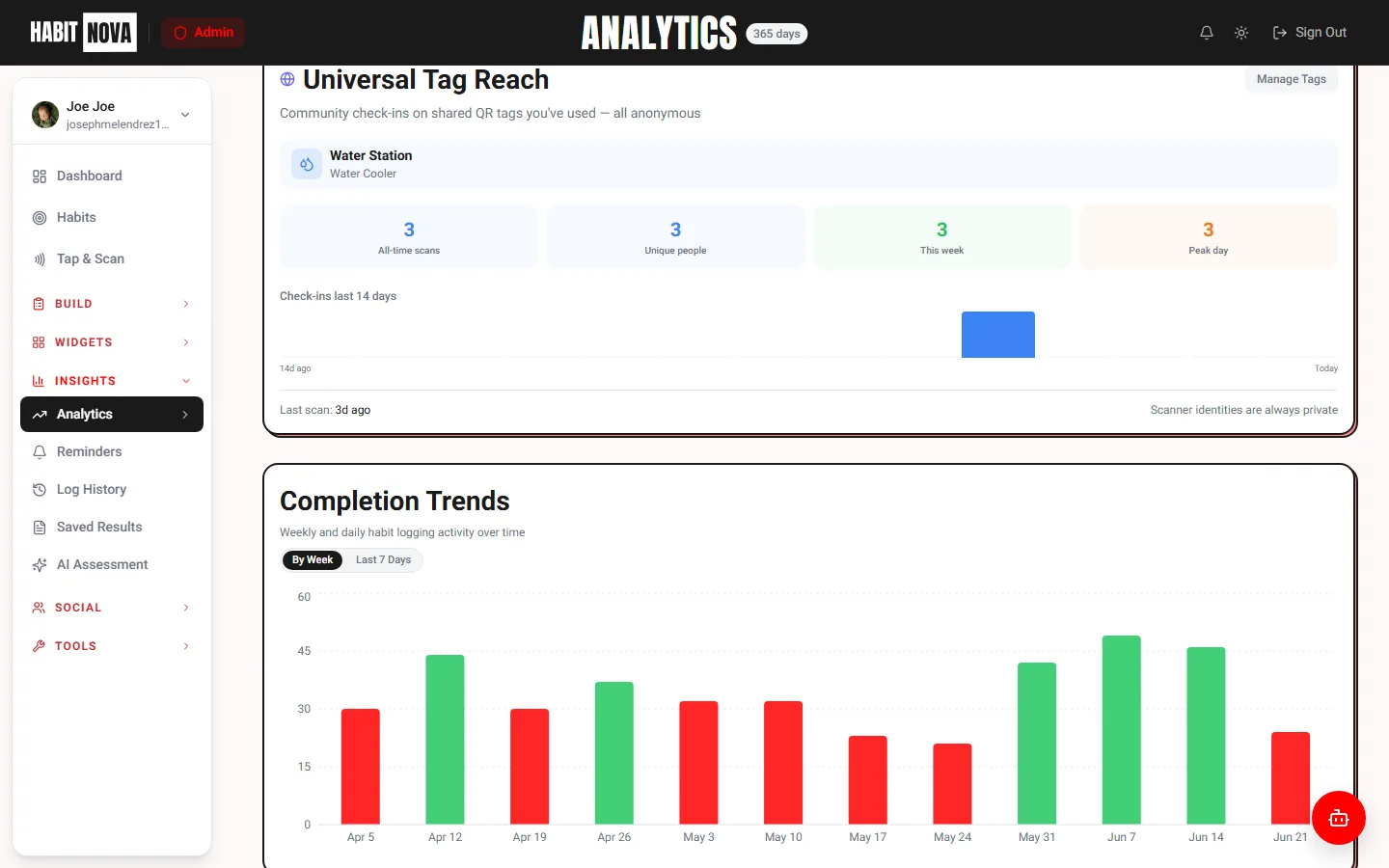
See how you log habits — NFC taps vs Web vs Manual. A 14-day sparkline tracks tap frequency, plus top tags ranked by usage with total tap counts.
Heatmap View
A GitHub-style heatmap showing your daily activity intensity over the past year. Darker squares = more completions. Custom color wheel — pick any color for your heatmap.
Charts & Completion Rates
Weekly bar charts, day-of-week patterns, category breakdowns (built-in + custom), and a per-habit breakdown with search/sort/view-all that scales to 100+ habits.
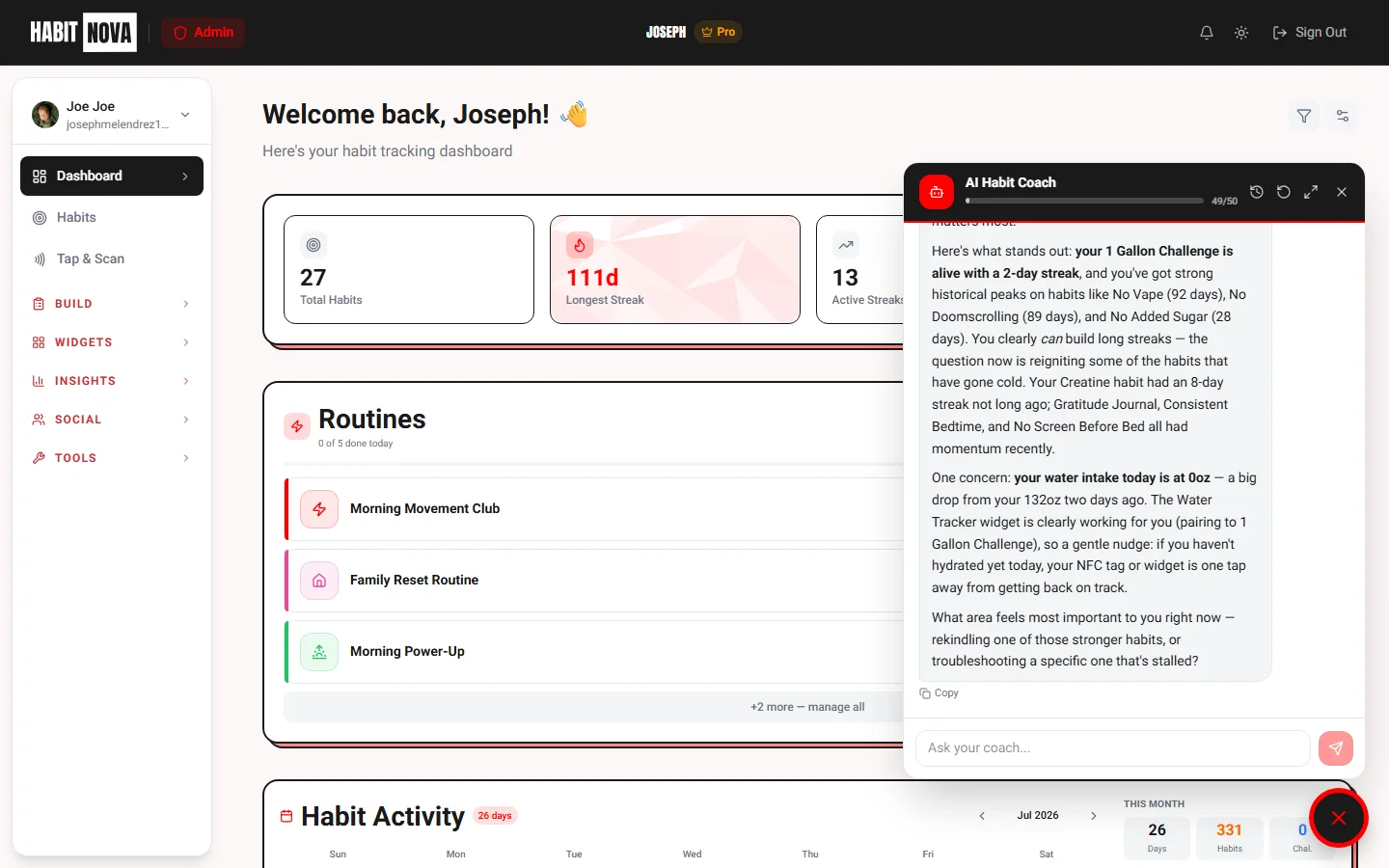
AI Habit Coaching
Get personalized AI-powered insights based on your habit data. The coach analyzes your patterns, identifies weak spots, and suggests actionable improvements. It learns from your behavior over time to give increasingly relevant advice.
Fitness Integrations
Connect Fitbit and auto-log habits based on real fitness data. Steps, sleep, active minutes, weight, and workout activities can automatically trigger habit completions — zero manual input needed.
Step Goals
Auto-log when you hit your daily step target. Syncs every hour.
Sleep Tracking
Log sleep habits automatically based on your Fitbit sleep data.
Weight Sync
Weigh-ins from your Fitbit scale flow into the Weight Tracker — chart trends and auto-log weigh-in habits.
Active Minutes
Track exercise habits using active minutes from Fitbit.
Real-Time Sync
Data syncs automatically — habits are logged without opening the app.
Sync History
View all synced entries with timestamps, source data, and platform.
Custom Thresholds
Set your own step count, sleep hours, or activity targets per habit.
Analytics by Plan
Every tier unlocks more insights
- Basic bar chart (7 days)
- Current & longest streak
- Simple completion count
- 90-day heatmap
- Completion rate per habit
- Weekly/monthly charts
- Log history with filters
- Everything in Basic
- AI coaching & weekly digest
- Fitbit auto-sync
- Pattern analysis & predictions
- Exportable reports
Reminders & one-off events
Every habit's reminder schedule plus standalone events (dentist, flight, renew passport) live on a single page — filter, bulk pause / resume / delete, and edit days & times inline. Push fires at your local time, skips habits already logged today.
Organizations — Habit Tracking for Teams
Create a shared space for your gym, company, or group. Assign habits to every member, deploy NFC tags, and watch real-time activity across your whole team.
Team Members
Invite members via a unique code or QR link. Each member keeps their personal habits while org habits sync automatically to their dashboard.
Org Habit Templates
Create habit templates once — they provision to every member instantly. Counter and boolean types supported with custom targets and required flags.
Org NFC & QR Tags
Deploy NFC stickers or QR codes around your space. Members tap to log — no app navigation needed. Each tag generates a printable QR code too.
Universal / Community Tags
Public QR or NFC campaigns any Habit Nova user can scan. Great for gyms, cafés, and events. Manual back-logging is blocked — scan-only to keep data honest.
Real-Time Activity Feed
See who's logged what today, completion bars per member, streaks, and department breakdowns — all updating live.
Multiple Organizations
Need more than one org? Create as many as you like — a "+ New" chip in the org switcher lets you spin up another in seconds.
Org Plans — Per-Seat Pricing
Starter
$3/seat/mo
$2/seat/mo billed annually
10 members · 5 habits · 3 NFC tags
Team
$6/seat/mo
$4/seat/mo billed annually
50 members · Unlimited habits · 10 NFC tags
Enterprise
$12/seat/mo
$9/seat/mo billed annually
Unlimited everything · SSO · Dedicated support
Annual billing saves 33% · Cancel anytime · Full org pricing →
Plans & Pricing
Three tiers designed to grow with you — from casual tracking to full-powered habit mastery.
Get started with basic habit tracking
- Track up to 10 habits
- Habit templates — curated single-habit library
- Routine Builder — morning, evening, focus & wind-down
- Streak tracking — daily, weekly & monthly
- 7-day analytics overview
- Per-habit completion stats & bar charts
- Community access & accountability partners
- 30-day challenges & milestone badges
- 1 AI Assessment per month
- 5 NFC Tags — tap to log any habit instantly
- 14 productivity widgets — Pomodoro, Timer, Journal, Water, Weight, Days Free & more
- Quick Actions — 41 customizable shortcuts
- 8 free tools — AI Assessment, habit stacking, routine builder, score calculator & more
$4.99/mo billed annually — save 20%
Unlock the full habit tracking experience
- Unlimited habit tracking
- 90-day analytics dashboard
- Bar charts, trend analysis & day-of-week patterns
- Category breakdown, habit kits & widget combos
- Widget habit pairing — auto-log on completion
- Unlimited lists & journal search with tags
- Custom timer & Pomodoro presets
- NFC analytics & shared tags
- Data export & weekly habit digest email
- Priority email support
- 10 AI Assessments per month
- 15 NFC Tags — one-tap habit logging
- 15% off NFC tags in shop — lifetime
$9.99/mo billed annually — save 20%
For serious habit builders
- Everything in Basic
- 365-day GitHub-style heatmap
- Advanced analytics & year-long trends
- AI Habit Coach — live chat that knows your habits
- Fitbit integration — auto-log steps, sleep & activity
- Journal mood analytics & trend tracking
- NFC auto-start widgets — tap to launch timers
- Priority support & weekly digest email
- Unlimited AI Assessments
- Unlimited NFC Tags
- 25% off NFC tags in shop — lifetime
Full Feature Comparison
| Feature | Free | Basic | Pro |
|---|---|---|---|
| Habits | 10 | Unlimited | Unlimited |
| NFC Tags | 5 | 15 | Unlimited |
| Analytics | 7 days | 90 days | 365 days |
| AI Assessments | 1/month | 10/month | Unlimited |
| AI Habit Coach | |||
| Fitness Integrations | |||
| Habit Templates | |||
| Habit Kits & Widget Combos | |||
| Routine Builder | |||
| Widget Pairing | |||
| NFC Shop Discount | 15% | 25% | |
| Data Export | |||
| Priority Support |
Ready to Build Better Habits?
Start for free — upgrade any time. No credit card required. Your streaks are waiting.
Annual plans save 20% — cancel anytime