Your tags are here. Let's set them up.
This takes under 5 minutes. Once you're done, logging a habit is a single tap.
Jump to steps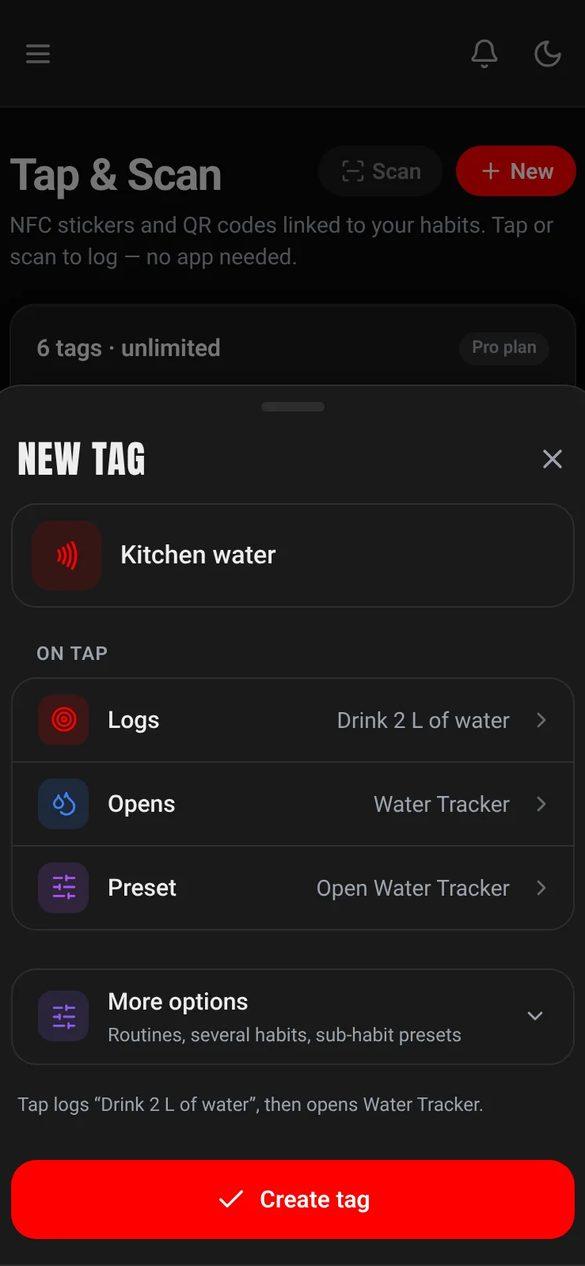
What's in the box.
NFC tags
NTAG213 and NTAG215 stickers or coins, pre-configured and ready to claim.
This guide
The card you scanned to get here.
A Habit Nova account
Free, Basic ($6.99 a month, $4.99 billed yearly) or Pro ($12.99 a month, $9.99 billed yearly). Every plan supports NFC tags.
Got a kit? Start here.
Your tags are pre-configured. Claim them, assign habits, and start tapping.
Sign in or create your account
01Head to habitnova.com and log in to your account, or create a new one. Every plan includes NFC tag support.
Claim your tags
02Your kit tags are pre-configured. Tap a tag with your phone and you'll see a "Claim this tag" button. Tap it and the tag is linked to your account.
Tip: Each tag in your kit has its own unique link. You only need to claim each one once.
Assign habits to your tags
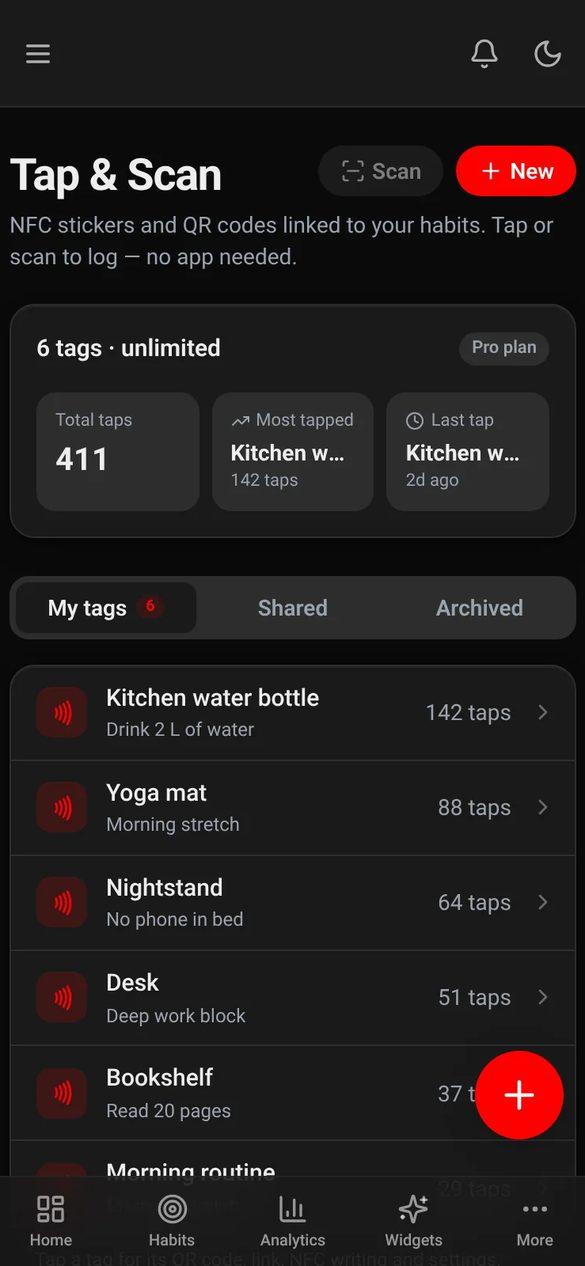
03After claiming, go to Dashboard, then NFC Tags. Each tag can be assigned to any habit you create: "Drink water", "Morning stretch", "Take vitamins", anything.
Tip: You can reassign a tag to a different habit any time. No reprogramming needed.
Place the tag where it matters
04Stick it on your water bottle, bathroom mirror, gym bag, nightstand or pill bottle: wherever the habit already happens in your day.
Tip: The best spot is where you already go, not where you think you should go.
Tap to log. That's it.
05Touch your phone to the tag. The habit is logged and your streak updates. No app to open and no menus.
Boughtblank tags?
If you picked up your own NFC stickers, here's how to program them yourself.
Create a tag in your dashboard
01Go to Dashboard, then NFC Tags, then Create Tag. Pick a habit and assign it. You'll get a unique tap link.
Tip: You can change which habit a tag points to any time without reprogramming the physical tag.
Get a free NFC writer app
02Install "NFC Tools" (free on iOS and Android). It writes your tap link onto the physical NFC tag. On Android, the Habit Nova app can write tags too.
Tip: You only need to write the tag once. After that, it keeps working.
Write your link to the tag
03Open NFC Tools, then Write, Add a record, URL, and paste your tap link from step 1. Hold your phone to the tag. Done in a few seconds.
Tip: Hold steady. The write takes about a second, and you'll feel a buzz or hear a chime when it's done.
Where to place your tags.
The best spot is where you already go, not where you think you should go.
Water bottle
Drink water
Bathroom mirror
Morning routine or skincare
Nightstand
Read before bed or journal
Gym bag
Workout or stretch
Pill bottle
Medication or vitamins
Coffee maker
Morning meditation or gratitude
Front door
Walk the dog or go outside
Desk
Focus session or time block
One tag,everyone'shabit.
Universal tags are built for shared spaces. Stick one on a gym locker, an office kitchen or a coworking desk. Any Habit Nova user who taps it gets that habit added to their own account, and sees how many others logged it that week.
An add-on on any plan: up to 10 tags for $3 a month. Pro includes 1 universal tag free.
Gym locker room
Post-workout stretch
Office kitchen
Refill water
Coworking desk
Focus session
Community board
Daily gratitude
What happens when you tap.
The tag sends its link
Your phone reads the NFC tag and opens its unique tap link.
The habit is logged
Habit Nova records the tap: the time, your streak and your completion rate.
Your stats update
Your dashboard shows the new log. Streaks build and patterns show up over time.
Your account includes.
Everything you need to build habits that last.
NFC tags on every plan
Free: 5 tags. Basic: 15 tags. Pro: unlimited, plus 1 free universal tag.
Streak tracking
Streaks that follow each habit's own schedule: daily, set weekdays, or a few times a week.
Analytics
Free: 7 days. Basic: 90 days of trends. Pro: a full year with a heatmap.
Privacy controls
Per tag: leave it open, or make it private so only you can log with it.
Works on NFC phones
iPhone XS and newer, and most Android phones from 2015 on. Every tag also has a QR code.
Instant logging
A tap logs the habit right away. Nothing to open, nothing to find.
Productivity widgets
21 widgets across focus, health, recovery, mind and planning: pomodoro, timer, lists, journal, water, medication, meditate, reading, goals, your why, Days Free and more. Pair them with habits and tags.
Universal tags
Put a tag in a shared space. Anyone who taps it gets the habit added to their own account. An add-on on any plan, 1 free on Pro.
AI coach and Architect
The AI Architect turns one goal into a plan of habits and routines. The AI coach chats about your habits: 3 messages a month on Free, 30 on Basic, daily on Pro.
Fitbit sync
Log steps, sleep and more on their own from your Fitbit (Pro).
Common questions.
Need more tags?
Our tag shop is closed for now. Pick up a pack of blank NTAG215 stickers on Amazon and set them up yourself, or get an email when the shop reopens.
Tap your first habit.
Your tags are in your hands. The only thing left is the first tap.
Every plan includes NFC tags · No credit card for Free · Pay yearly and save